Fonts that actually print on thermal paper
Users asked for more fonts, real bold weights, and faster ways to restyle a whole receipt. This update delivers all three: 45 font families, weights that print the way they look, a printable font specimen, and bulk font changes in the designer. Here is what is new, which sizes print well, and the one thing to update.
More fonts, and fonts that print the way they look
Two things came up again and again: more font choices, and text that looks right in the designer but prints lighter than expected. So we printed every font at every size and weight on a real receipt printer, kept the ones that read well on paper, added real bold and black weights, and built tools to restyle a receipt in one step.
The size and weight floors
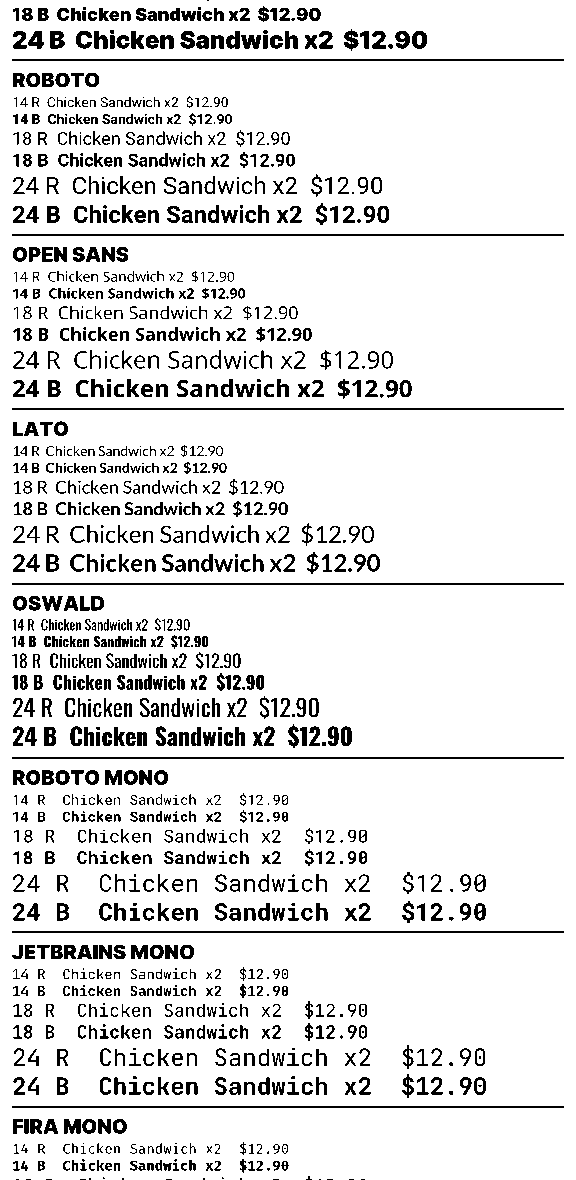
Read off paper, the same for every font family:
| Weight | 14 px | 18 px | 20 px | 24 px |
|---|---|---|---|---|
| Regular 400 | unreadable | hard to read | hard to read | readable |
| Bold 700 and heavier | unreadable | readable | readable | readable |
So the rules are simple: nothing under 18 px, bold from 18 px, regular only from 24 px. They apply on 58 mm and 80 mm paper alike.
Six things, all live today
45 font families, 70 faces
Up from 10. Every family was chosen from printed specimen sheets, not screenshots. Bold now exists for Oswald and every monospace font, and most new families ship heavy weights only.
Real weights: Bold, Extra Bold, Black
The weight dropdown lists only the weights a font actually has, so an option never silently maps to a different face. Roboto, Lato and others gained a 900 cut.
A printable Font Specimen
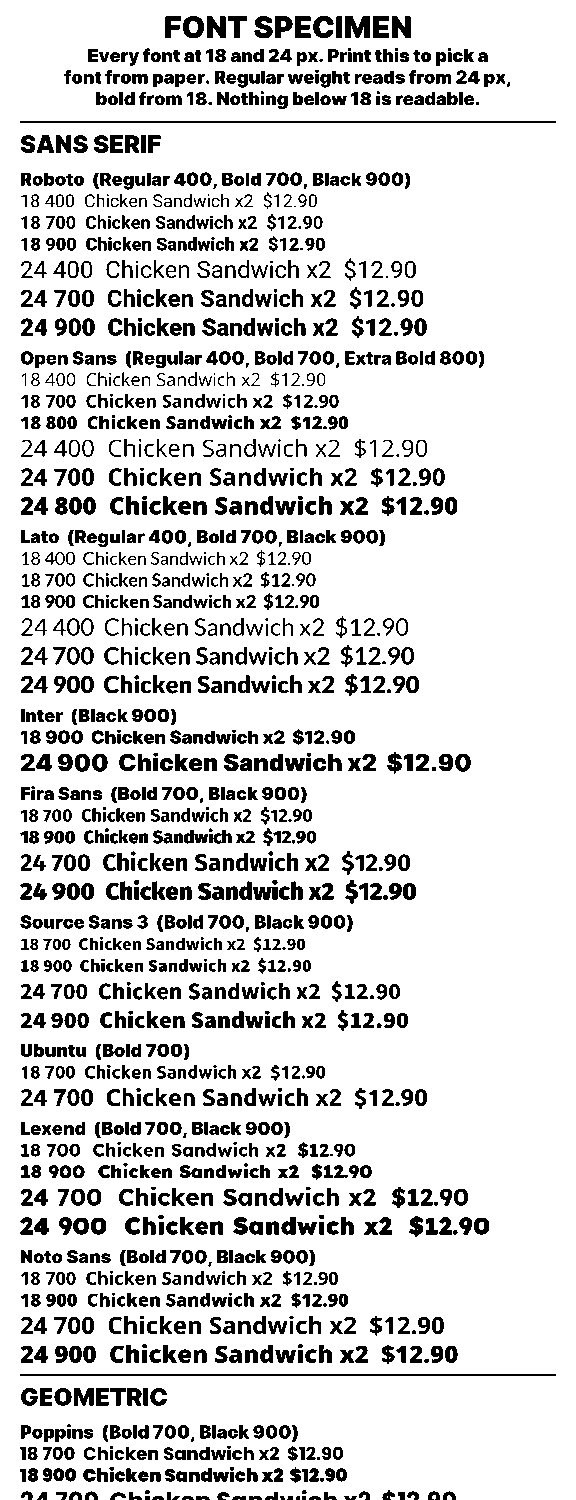
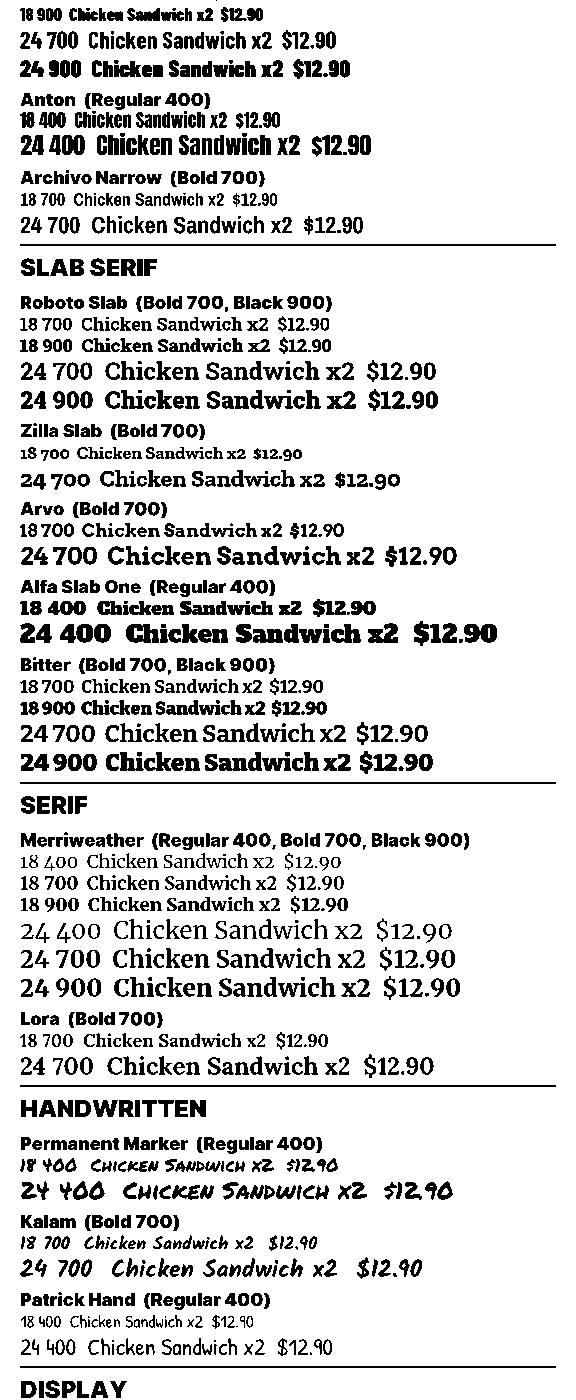
A gallery template that prints every font and weight at 18 and 24 px on one receipt. Pick from paper instead of guessing from the screen.
Try fonts live, test print, then apply
An Actions tab in the designer restyles many text elements in one rule. The canvas previews every change as you make it, you can print a test to your printer or the browser without saving, and Apply is one undo.
Legibility hints and AI floors
The designer warns under an element that is too small or too thin. The AI designer follows the same floors for new templates and edits, on any paper width.
Gallery templates and Fonts page
The 15 starter templates that used regular-weight body text are bold by default with an 18 px floor. The Fonts page groups families by style with samples at printable sizes and a printed preview. Saved templates are untouched.
Print this once, then decide
The Font Specimen is in the template gallery. Clone it and print it through your bridge. It runs about 65 cm and shows every family and weight at 18 px and 24 px, labelled, in the order the font picker uses. Most people find their font in a minute.
Try it, print it, then apply it
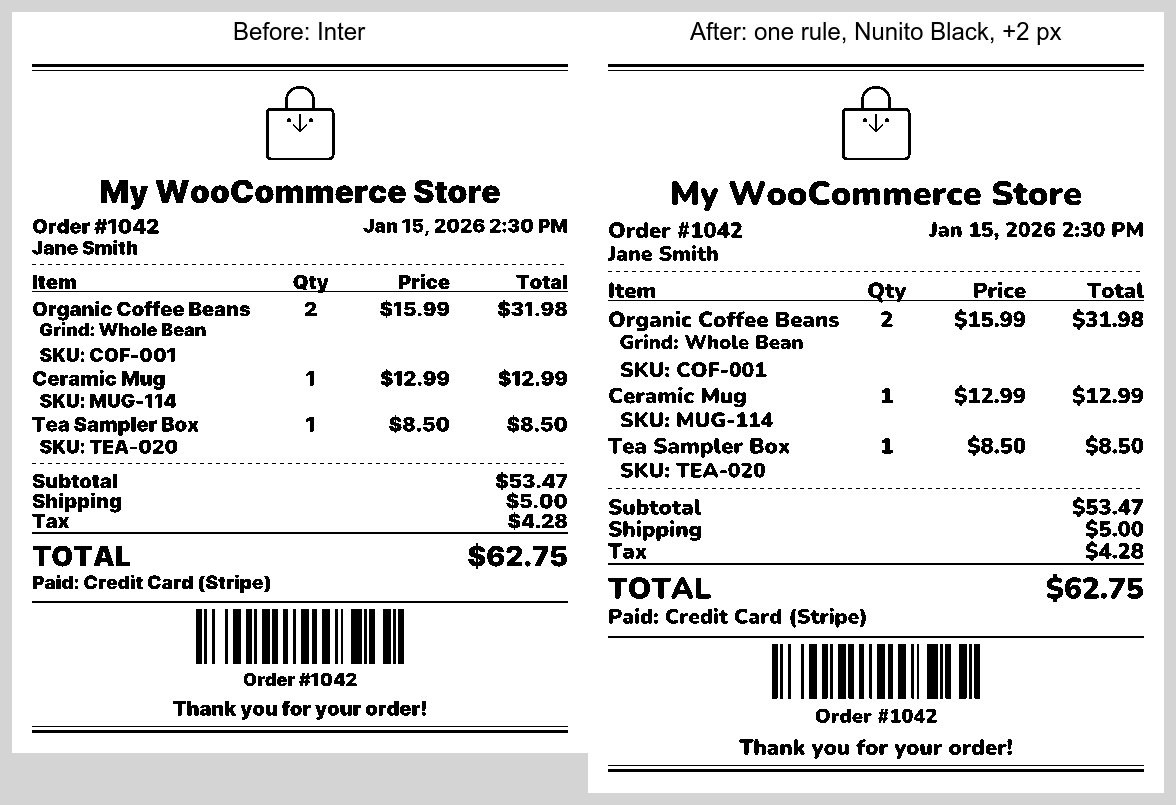
The designer's new Actions tab restyles a whole receipt in one rule: pick the text to change by font, size or weight, then set a new font, size or weight. The canvas updates as you go, so you can arrow through fonts and watch the receipt redraw in each one.
Two print buttons sit right above Apply. Print the preview to your printer or to the browser without saving, compare a few variations on paper, and apply the one you like as a single undo step.
Two small things on your side
Update the bridge
Update ReceiptKit Bridge on your printer PC or Raspberry Pi to the latest version: 0.3.95 on Windows and macOS, 0.2.101 on the Pi. It ships every new font and prints the exact weight you choose. The desktop bridge offers the update itself, and the Pi updates from its dashboard. An older bridge keeps printing and downloads any font it lacks, but prints Bold in place of Extra Bold or Black until it is updated.
Browser printing: refresh once
If you print from the WooCommerce order page with browser printing, hard-refresh that page once (Ctrl+Shift+R on Windows, Cmd+Shift+R on a Mac) so it loads the updated print library. No plugin update is needed.
Your templates are safe
Nothing about a saved template changes until you edit and save it. The new fonts, weights and floors only apply to elements you change or to templates you clone from the gallery from now on.
Frequently asked
Common questions
Why does text look fine on screen but print thin on my receipt printer?
Receipt printers cannot print thin strokes, and screens smooth them so they look fine. Bold weights survive on paper; regular weights at receipt sizes often fade. That is why the designer now defaults to bold and warns on small or thin text.
What is the smallest readable font size on a thermal receipt?
On the printers we tested, nothing under 18 px was readable in any font. Bold text reads from 18 px up. Regular weight needs 24 px or more. ReceiptKit's designer warns when an element is below those floors, and the AI designer follows them automatically.
Will my existing receipt templates change?
No. A saved template prints exactly as before until you edit and save it. The new fonts and weights only apply to elements you change. Templates using Inter keep printing the same heavy face they always did.
Do I need to update anything?
Update the ReceiptKit Bridge on your printer PC or Raspberry Pi to the latest version (0.3.95 on Windows and macOS, 0.2.101 on the Pi), which ships every new font and prints the exact weight you choose. Older bridges keep working and download any font they lack, but print Bold in place of Extra Bold or Black. If you use browser printing from WooCommerce, hard-refresh the order page once (Ctrl+Shift+R, or Cmd+Shift+R on a Mac) so it loads the updated print library.
How do I see what every font looks like on paper?
Open the template gallery, clone the Font Specimen template and print it. It prints every font and weight at 18 px and 24 px on one receipt, about 65 cm long, so you can pick from paper instead of guessing from the screen.
Can I change the font on the whole receipt at once?
Yes. The designer's Actions tab takes one rule: find text by font, size or weight, then change the font, the size or the weight, or all three. The canvas previews the rule live as you edit it, you can test print the preview to your printer or the browser without saving, the panel shows how many elements will change, and Apply is a single undo step.
This is one of our product update write-ups. See all product updates.
Design once, print legibly
Free plan with 500 prints a month. Clone the Font Specimen, print it, and pick your font from paper.